
WordPress Accessibility and ADA Compliance
Make your WordPress site work for everyone, and lower your legal risk at the same time. We audit your site against the WCAG guidelines, fix the real problems in your code and design, and keep it accessible over time. Not a widget that hides the issues, but proper fixes that hold up.
WCAG 2.2
Level A and AA
Real fixes
Not an overlay
Audited
By hand and tools
Ongoing
Kept accessible


Make Your WordPress Site Accessible to Everyone
Web accessibility means building your site so people with disabilities can use it, including those who use a screen reader, navigate by keyboard, or need larger text and stronger color contrast. In the United States, the Americans with Disabilities Act, or ADA, is widely read to apply to business websites, and the recognised technical standard is the Web Content Accessibility Guidelines, or WCAG.
WordPress sites are not accessible by default. Themes, page builders, forms, and media all introduce issues that stop some visitors from using your site, and that can expose you to complaints. We find those issues, fix them properly in your code and design, and help you keep the site accessible as it changes. This page explains what we do, how we test, and the honest truth about what an accessibility plugin can and cannot do.
What We Do for Accessibility
From the first audit to ongoing upkeep, we cover the full range of accessibility work, with real fixes at every step.
Accessibility Audit
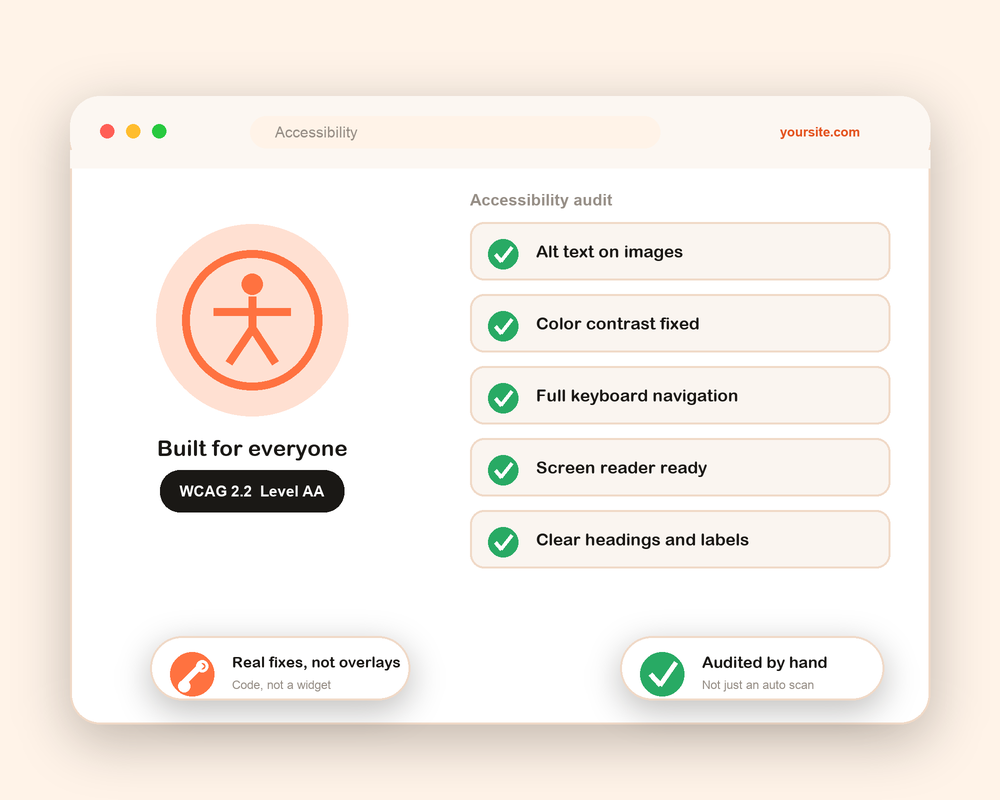
We review your site by hand and with testing tools against WCAG 2.1 and 2.2, Level A and AA, and give you a clear, prioritised list of what needs fixing.
Real Code Remediation
We fix the actual issues in your theme, templates, and content, from heading structure to ARIA labels, not just cover them with a widget.
Keyboard Navigation
We make sure every menu, form, and control can be reached and used with a keyboard alone, with a visible focus so people know where they are.
Color Contrast and Text
We fix low contrast text, resizable text, and readable layouts, so your content is clear for people with low vision or color blindness.
Screen Reader Support
We add proper alt text, labels, and structure so screen readers can read your pages in a logical order and describe your images and buttons.

We make contact forms, checkout, downloadable PDFs, and video captions accessible, the parts most sites forget.
Accessibility Statement
We help you publish a clear accessibility statement, which shows your commitment and gives visitors a way to report issues.
Accessibility is not one and done. As you add content, we keep checking and fixing, so your site stays accessible over time.
An Accessibility Widget Alone Will Not Make You Compliant
You have probably seen the plugins and overlays that promise instant ADA compliance from a single line of code. They add a little toolbar that changes font size and contrast. The honest truth, backed by accessibility experts and real court cases, is that these overlays do not fix the underlying problems, and a site can still fail WCAG and still receive complaints with one installed.
Real accessibility lives in your code and content, in your headings, labels, alt text, keyboard support, and contrast. That is what assistive technology actually reads, and that is what we fix. A widget can be a small help on top of a properly built site, but it is never a substitute for doing the work. We will always tell you the difference.
How We Make Your Site Accessible
A clear, tested process, so accessibility is done properly and you can show the work if anyone asks.
1
Audit
We test your site by hand and with tools against WCAG 2.1 and 2.2, Level A and AA, across your key pages and templates.
2
Report
You get a clear, prioritised report in plain language, so you know what is wrong, why it matters, and what we will do.
3
Remediate
We fix the real issues in your theme, templates, and content, from structure and labels to contrast and keyboard support.
4
Test
We re-test with screen readers and keyboard navigation, and with real assistive technology, to confirm the fixes work.
5
Statement
We help you publish an accessibility statement so visitors know your commitment and how to report any issue.
6
Monitor
As you add new content and pages, we keep checking and fixing, so your site stays accessible over time.
At every step we keep you informed in plain language, so you understand your own site and the work being done on it.
Why Choose Optmistic Technologies
Accessibility is easy to fake and hard to do right. Here is why our approach actually helps your visitors and your business.
Real fixes, not overlays
We fix the code and content that assistive technology actually reads, instead of hiding issues behind a widget.
Hand tested, not just scanned
Automated scans miss most issues. We test by hand with screen readers and a keyboard, the way real people use your site.
WCAG 2.1 and 2.2
We work to the current recognised standard, Level A and AA, which is what courts and auditors look to.
Page builders welcome
We fix accessibility on Elementor, Divi, and custom built sites, not just simple themes.
Honest about limits
We do not sell false guarantees. We tell you what accessibility can and cannot promise, and what you still need to do.
We keep it accessible
New content can break accessibility. We stay on hand to check and fix, so your effort is not undone.
The Standards and Tools We Use
Good accessibility work combines the right standard with real testing, by both software and people. We use the recognised guidelines and the same assistive technology your visitors use.
We test against WCAG 2.1 and 2.2 at Level A and AA, using tools like axe, WAVE, and Lighthouse to catch what software can catch, and then testing by hand with screen readers such as NVDA and VoiceOver and with keyboard only navigation. That mix is important, because automated tools catch only a fraction of real accessibility issues. The rest take a human.
WCAG 2.2 Level A and AA axe DevTools WAVE Lighthouse NVDA VoiceOver Keyboard testing ARIA Elementor Divi
Who Needs an Accessible WordPress Site
If your website is open to the public, accessibility matters. In the United States, businesses that serve the public, along with government bodies and their contractors, are the most likely to have a clear obligation, and public sector sites also fall under Section 508. Even where the law is less certain, an accessible site reaches more customers, reads better for search engines, and simply treats people fairly.
A quick note on honesty. This page is general information, not legal advice, and there is no official government certificate for ADA compliance. No plugin or agency can promise you will never receive a complaint. What we can do is bring your site into line with WCAG 2.1 and 2.2 at Level A and AA, the recognised standard, document the work, and help you keep it that way. For your exact legal obligations, we recommend you also speak with a lawyer.
What Accessibility Work Costs
Every site is different, so the cost depends on your site, not a fixed price. A small brochure site with a handful of templates needs less work than a large store with many page types, forms, and media.
The main things that shape the cost are how large and complex your site is, how many issues the audit finds, and whether you want a one off fix or ongoing monitoring as you add content. We start with an audit so you know exactly where you stand, then give you a clear, fair quote with no hidden costs. Tell us about your site and we will recommend the right scope.
Make Your WordPress Site Work for Everyone
Start with an accessibility audit and find out exactly where your site stands against WCAG. Then we fix the real issues and help you keep your site accessible, with no false promises. Tell us about your site and we will recommend the right scope.
WordPress Accessibility FAQs
What is WordPress ADA compliance?
It means building and fixing your WordPress site so it meets web accessibility standards, mainly the WCAG guidelines, so people with disabilities can use it. The ADA is the US law often read to require this for business websites. In practice, compliance means conforming to WCAG, usually Level AA.
Does my WordPress site have to be ADA compliant?
If your site serves the public, it is wise to treat accessibility as required, and public sector sites also fall under Section 508. The law is not always black and white, so we give you honest guidance and recommend you confirm your exact obligations with a lawyer. Either way, an accessible site reaches more people and is better for everyone.
Can a plugin or widget make my site ADA compliant?
No. No plugin or overlay can make a site fully compliant on its own. Accessibility lives in your code and content, which is what screen readers and keyboards actually use. A widget can sit on top of a properly built site, but it is never a substitute for real fixes, and sites with overlays still fail audits and receive complaints.
What is WCAG and which level do I need?
WCAG is the Web Content Accessibility Guidelines, the recognised technical standard. It has three levels, A, AA, and AAA. Level AA is the standard most laws and auditors expect, and the level we aim for. We work to WCAG 2.1 and 2.2.
Will my site be certified as ADA compliant?
There is no official government certificate for ADA compliance. Any company that offers to certify your site is using their own label, not a government one. What we provide is work done to WCAG 2.1 and 2.2 at Level AA, documented so you can show it, plus an accessibility statement.
How do you test accessibility?
We combine automated tools like axe, WAVE, and Lighthouse with hands on testing using screen readers such as NVDA and VoiceOver and keyboard only navigation. This matters because automated tools catch only a fraction of real issues. The rest need a human to find and fix.
Do you fix Elementor and Divi sites?
Yes. We fix accessibility on Elementor, Divi, and custom built WordPress sites. Page builders often add accessibility issues, and we know how to fix them without breaking your design.
What is an accessibility statement?
It is a page on your site that explains your commitment to accessibility, the standard you aim for, and how visitors can report a problem. It is good practice, shows good faith, and gives people a clear way to reach you if something is not working for them.