
WordPress Backup Services
A backup is only useful on the day something breaks. We set up automatic, off site WordPress backups of your whole site, test that they really restore, and get you back online fast when you need it. No plugins to babysit, no control panel to learn. We handle it.
Automatic
Runs on schedule
Off site
Separate from your host
Tested
Restores that work
Fast
Quick recovery


Backups Set Up, Tested, and Managed for You
Most WordPress sites run fine until the day they do not. A bad plugin update, a failed theme change, a hacked login, or a hosting error can wipe hours of work or take a site offline. A proper backup is the difference between a five minute fix and a lost website.
We handle WordPress backups as a managed service. Your full site, the database and all the files, is copied on a schedule, stored safely away from your server, and checked so you know the backup will actually work. If something goes wrong, we restore it. You do not touch wp-admin or a control panel. This page explains what we back up, how often, where it is stored, and how a restore works, so you know exactly what you are getting.
What We Back Up
A real backup covers your whole site and runs without you lifting a finger. Here is exactly what is protected.

Your Full Database
Every post, page, comment, user, setting, and WooCommerce order lives in your database. We back it up so your content and site settings are never lost.

All Your Site Files
Themes, plugins, uploads, images, and custom code are saved together with the database, so a restore brings back the whole site, not just half of it.

Automatic Scheduled Backups
Backups run on their own on a schedule that fits your site. A busy store can be backed up far more often than a brochure site that rarely changes.

Off Site, Independent Storage
Your backups are stored away from your hosting account, on secure cloud storage. If your host has an outage or your server is compromised, your backup is safe somewhere else.

One Click Style Restore
When you need to roll back, we restore your site from a chosen point in time. No manual file juggling and no database imports on your end.

Before we update a plugin, edit a theme, or work on your site, we take a fresh backup first. If anything misbehaves, we roll straight back.
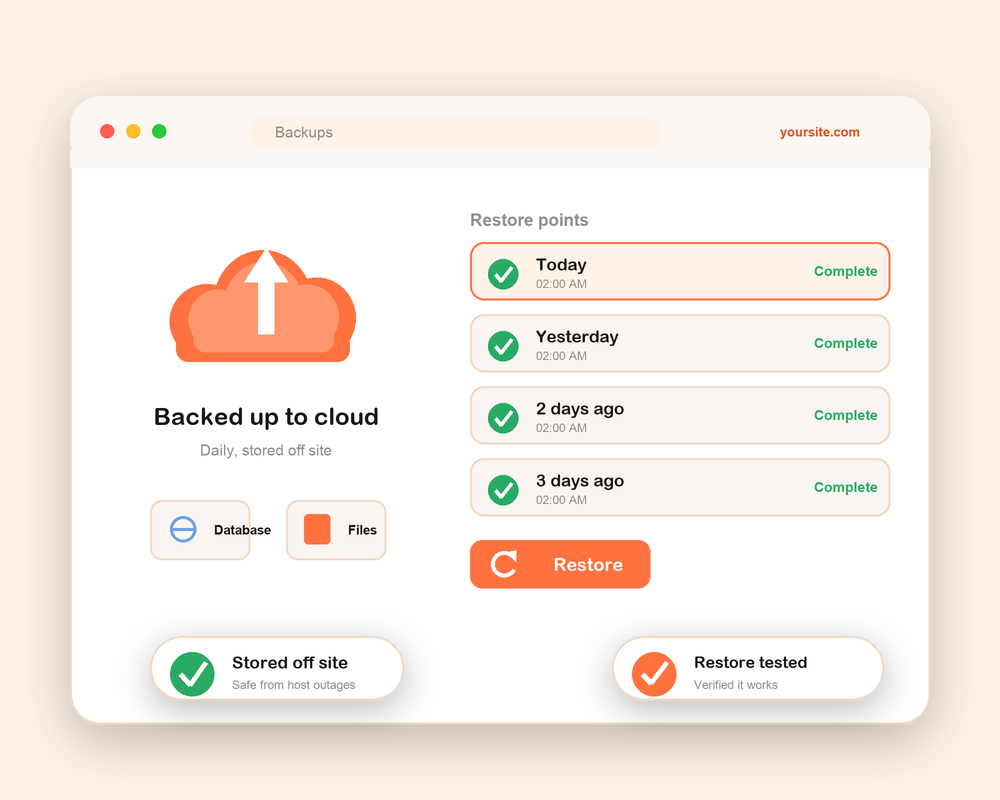
Your Host's Backup Is Not a Safety Net
Many hosting plans include backups, and they are useful to have. The problem starts when they are your only copy. Host backups are often kept on the same system as your site, overwritten every few days, slow to restore, and sometimes only available if you open a support ticket and wait.
An independent backup fixes all of that. It sits on separate storage, keeps several restore points, and can be restored on demand. You are not relying on the same company, or the same server, that just had the problem. We treat backups as insurance you hope to never use, but that has to work perfectly the one time you do.
How Our Backup Service Works
Setting up backups is one thing. Making sure they restore is another. Our process covers both.
1
Site Review
We look at your site size, how often it changes, and your hosting, then recommend a backup frequency that fits.
2
Backup Setup
We connect secure off site storage and schedule automatic backups of your database and files.
3
First Full Backup
We run and verify a complete baseline backup of your whole site, so you have a clean starting point.
4
Restore Test
We confirm the backup actually restores to a working site, not just that a file was created.
5
Ongoing Monitoring
Backups keep running on schedule. We watch for failures and fix them before they ever matter.
6
Restore When Needed
If anything breaks, you message us and we roll the site back to a clean point, fast.
At every step we keep you informed, so you always know your site is protected and know what to do if the worst happens.
Why Choose Optmistic Technologies
Plenty of services make backups. Fewer make sure the backups restore. Here is what sets our service apart.
We test restores, not just backups
A backup file that will not restore is worthless. We verify that your backups come back as a working site.

Several restore points
We keep a history of backups, so you can go back to before a problem started, not just to the most recent copy.

Secure, off site storage
Your backups live on protected cloud storage, separate from your host, so one failure never takes out both.
Fast recovery
When something breaks, speed matters. We restore quickly so your site and your business are not stuck offline.
WooCommerce and large sites
Stores, membership sites, and large media libraries need careful handling. We set the right frequency and method.
Real people, clear answers
You get a human who knows your site, not a dashboard you have to learn. We handle the technical side.
The Backup Tools We Work With
There is no single best backup tool. The right one depends on your site, your host, and how often you change things. We pick the method that fits, set it up correctly, and manage it for you.
We work with trusted backup plugins and secure cloud storage, and we always store your copies off your server. Whether a plugin like UpdraftPlus or BlogVault suits your site, or a direct connection to storage like Amazon S3 or Google Cloud, we choose for reliability, not habit, and we test that the result actually restores.
UpdraftPlus BlogVault Jetpack VaultPress Solid Backups Duplicator Amazon S3 Google Cloud Storage Dropbox
Backups Are Simple to Promise and Easy to Get Wrong
Plenty of services say they back up your site. Fewer check that the backup restores, keep enough history, store copies off site, or secure the backups themselves. A backup stored next to your site, never tested, and overwritten daily can fail you at the worst moment.
We keep it honest. If your host already gives you solid independent backups, we will tell you and help you set them up properly instead of selling you something you do not need. If you want a managed, tested, off site backup you never have to think about, that is exactly what we run.
What a Backup Plan Costs
Every site is different, so the cost of a backup plan depends on your site, not a fixed price. A small brochure site that changes rarely needs less than a busy store backed up many times a day.
The main things that shape the price are how large your site is, how often it needs backing up, how much restore history you want kept, and whether you want us to manage restores and testing for you. We give you a clear, fair quote with no hidden costs. Tell us about your site and we will recommend the right plan.
Sleep Easier About Your WordPress Site
Get automatic, tested, off site backups set up and managed for you. If the worst ever happens, we restore your site from a clean copy and get you back online fast. Tell us about your site and we will recommend the right plan.
WordPress Backup FAQs
How often should a WordPress site be backed up?
It depends on how often your site changes. A store taking orders should be backed up very frequently, even in near real time, so no order is lost. A site that updates weekly can be backed up daily. We set the frequency to match your site.
What is the difference between a backup plugin and a backup service?
A plugin is a tool you install, configure, and monitor yourself. A service means we set it up, store copies off site, watch for failures, test restores, and handle the recovery for you. You get the result without the maintenance.
Where are my backups stored?
On secure cloud storage that is separate from your hosting account, such as Amazon S3 or similar. Keeping backups off your server means a host outage or a hack cannot take out your site and your backup at the same time.
How many backups do you keep?
We keep a history of restore points, not just the latest copy. That way, if a problem started a few days ago, you can roll back to before it happened.
Can you restore my site if it gets hacked or breaks?
Yes. That is the whole point. We restore your site from a clean backup, and we can restore to a staging copy first if you want to check it before going live.
Do you back up WooCommerce and large sites?
Yes. Stores and large media sites need more frequent and more careful backups. We set the right method and schedule so orders and files are protected.
Will backups slow down my website?
No. We use methods and off site storage that keep the work off your live server, so your visitors notice nothing.